


 Acc
Acc 

Description
LIVE PREVIEW LIVE ORDER $24

Domain Manager for Rise CRM – Manage and Track Your Domains Efficiently
.png) Hopperstack
Hopperstack
Note: This is a plugin designed for
RISE – Ultimate Project Manager & CRM. It is not a separate script.
Description
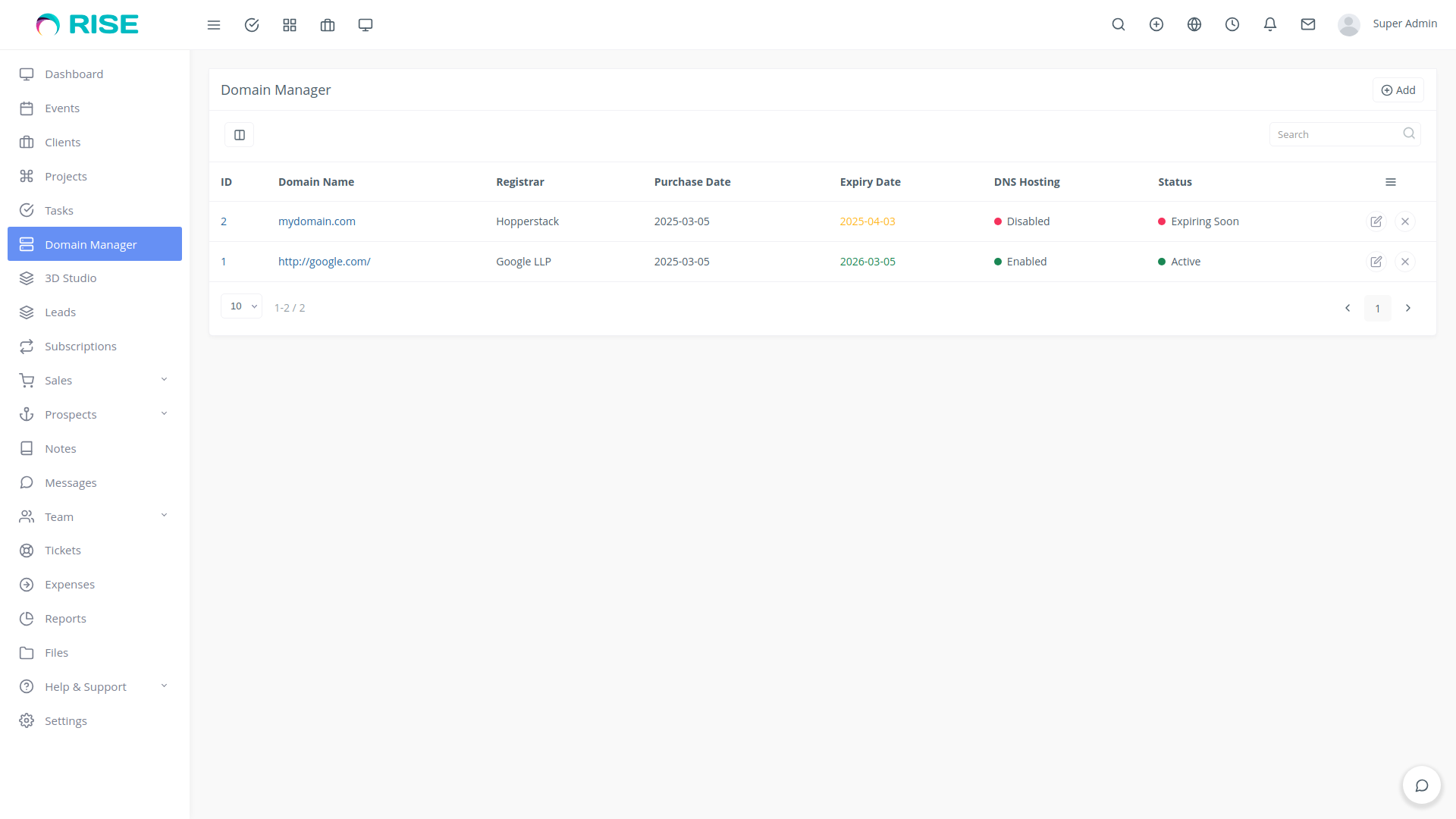
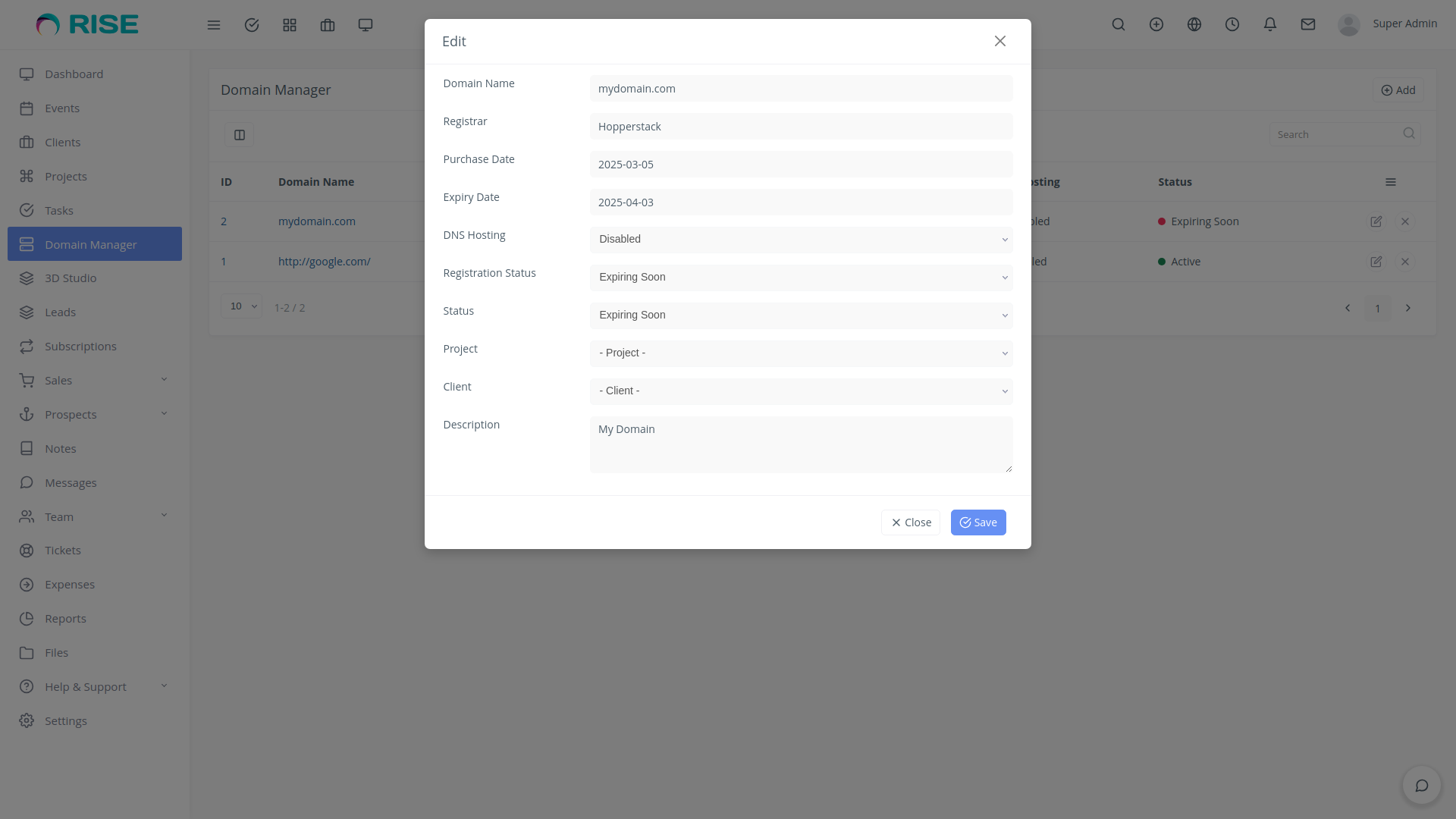
Domain Manager is a powerful Rise CRM plugin designed to help businesses, agencies, and freelancers efficiently track, manage, and organize domain names within their CRM. It allows users to associate domains with clients and projects, monitor expiration dates, and manage DNS hosting & registration statuses—all from a single, intuitive interface.
Key Features:
-
Add & Edit Domains
Easily store domain details like name, registrar, purchase date, and expiry date.
-
Status Tracking
Categorize domains as Active, Expiring Soon, Expired, or Pending.
-
Link Domains to Clients & Projects
Assign domains to specific clients or projects within Rise CRM.
-
Custom Notes & Descriptions
Store additional details for easy reference.
Requirements:
- RISE CRM (v3.x or higher).
Demo URL and Credentials:
Explore the plugin with our live demo:
- Demo URL: Demo
-
Login:
- Email: admin@example.com
- Password: 123456
Installation Guide:
- Log in to RISE – Ultimate Project Manager & CRM as an administrator.
- Navigate to Settings > Plugins.
- Install the upload.zip which you have downloaded from the Envato Market with a valid purchase
code. - If everything is OK, it’ll show a success message.
- Activate the plugin from the option dropdown.
- You’re all set!
Customer Support
Your satisfaction is our priority! Reach out to us for any queries, support requests, or bespoke solutions.
- Support Hours: Monday – Saturday
- Response Time: Guaranteed within 1-2 business days
- Connect with us via our Support
Portal


Change Log
Version 1.0.0
- Initial release



.png)


Reviews
There are no reviews yet.