




TAKE THE FIRST STEP
WE WILL DO THE REST


Filters
Categories
Tags
Search

🧡 Recommended Tea $9.00

USE CASE for ALREADY HAVE a PHP WEBSITE if YOUR ITEM is ADD-ON PHP:
- Pay an Item via LIVE ORDER for OUR AFFILIATE only.
- Pay a Tea via FREE SETUP for PAYPAL & DEBIT / CREDIT CARD only.

PLACE ORDER for FREE SETUP with ORDER NOTES at CHECK OUT:
1. Add YOUR DOMAIN (Ex: domain.com) registered by yourself at Domain Name Registration.
2. Add YOUR HOSTING (Ex: domain.com) registered by yourself at Linux Shared Hosting.
3. Add YOUR WEBSITE (Ex: domain.com|admin|password) hosted by yourself at Linux Shared Hosting.
4. Add YOUR ACCOUNT (Ex: username|password) or DOWNLOAD LINK (Ex: drive.google.com/file) paid by yourself at Theme Forest or Code Canyon.

Warranty: 7 Days

$

🧡 Recommended Tea $9.00

💚 Minimum Tea$3.00

❤️ Maximum Tea$300.00

Report Abuse

Description


LIVE PREVIEW LIVE ORDER $14

Slack Notification Addon for vCard SaaS GoBiz – Laravel vCard SaaS Script
nativecode

Slack Notifications Addon For GoBiz vCard SAAS

Note: This is an addon for GoBiz vCard SaaS, not a standalone script.

GoBiz vCard SaaS – Powerful vCard Builder + WhatsApp Store Builder | Best vCard SaaS Script


gobiz is a best vcard saas script

Slack Notifications Addon

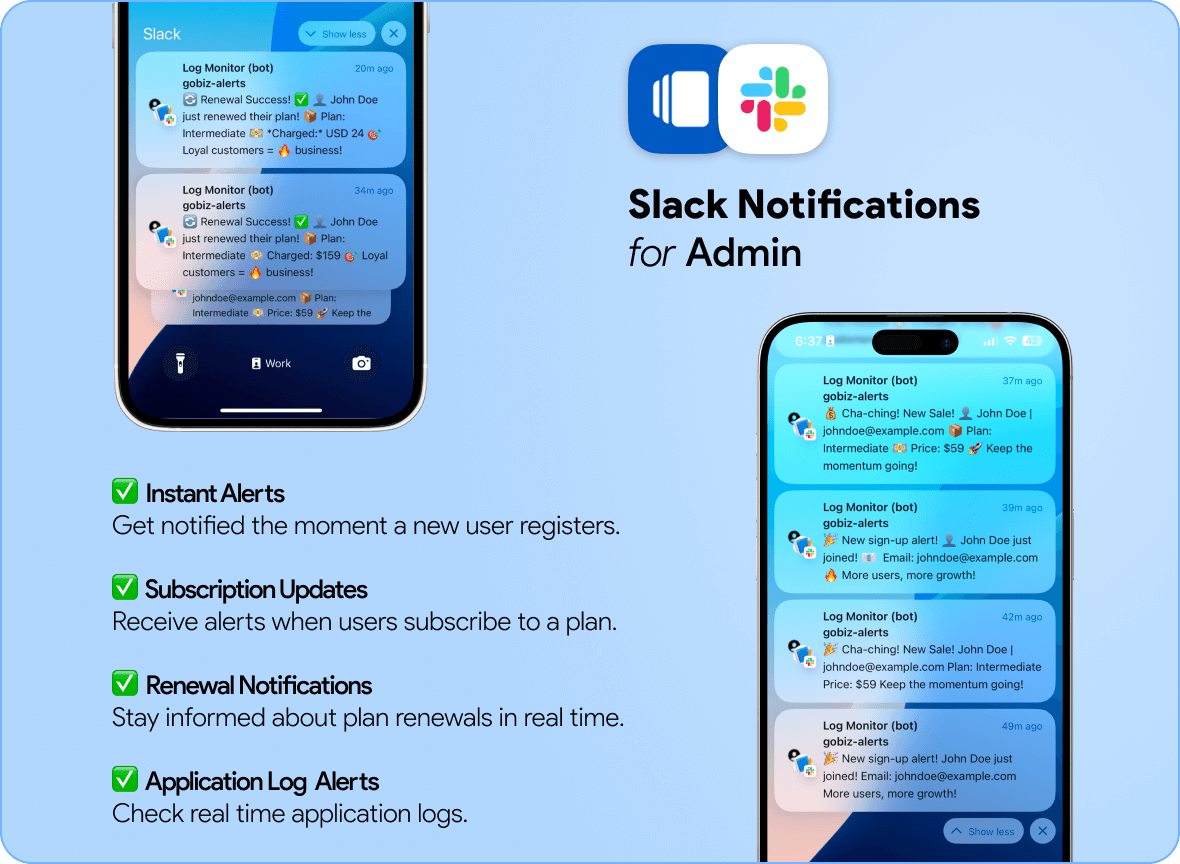
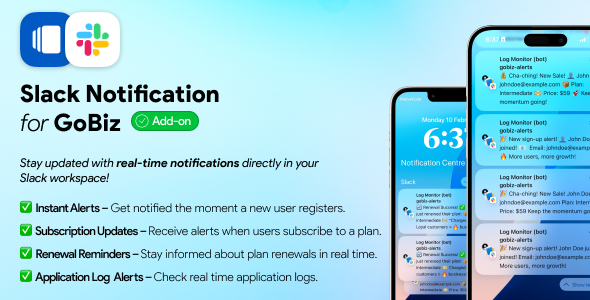
Enhance your GoBiz vCard SaaS with real-time Slack notifications! This addon ensures instant alerts for new user registrations, plan purchases, renewals, application error notifications and important updates—delivered directly to your Slack workspace.

Key Features

  • Seamless Slack integration for real-time alerts
  • Custom notification triggers for new user registrations, plan purchases, renewals and application error notifications
  • Effortless webhook configuration via Slack Incoming Webhooks
  • Stay updated instantly with real-time notifications


try vcard demo on codecanyon

⚙️ Installation & Compatibility

Compatible With: GoBiz vCard SaaS v14.2.0 and later

Requirements:

  • A Slack workspace with Webhooks enabled
  • GoBiz vCard SaaS installed

Need help with setup? Check out the Installation Guide

How to Configuration

Follow these simple steps to configure the Slack Notifications Addon:

  1. Go to your Slack workspace and create an Incoming Webhook.
  2. Copy the generated Webhook URL.
  3. Log in to your GoBiz Admin Panel.
  4. Navigate to Plugins → Slack Notifications and click the Settings icon.
  5. Paste the Webhook URL and save the settings.
  6. Test the integration to ensure notifications are working.

For a detailed step-by-step guide, check out the Configuration Guide.

Changelogs

  • v1.0.0 – Initial release


Source link

OVERCOME YOURSELF ONLY
TAKE THE LAST STEP

Reviews

There are no reviews yet.

Be the first to review “Slack Notification Addon for vCard SaaS GoBiz – Laravel vCard SaaS Script”

Your email address will not be published. Required fields are marked *


Loading...

Vendor Information

  • Store Name: Code Canyon Vendor
  • Vendor: Code Canyon Vendor
  • Address: Victoria
    Australia
  • No ratings found yet!

Allow customer to Request for Coupon as Store Credit when the order is Cancelled by Vendor or Cancelled by Customer in Warranty Time.

OVERCOME YOURSELF ONLY
TAKE THE LAST STEP

Product Enquiry

Your personal data will be used to support your experience throughout this website, to manage access to your account, and for other purposes described in our privacy policy